Here’s a number that should keep every SA business owner up at night: 93% of consumers say online reviews influence their purchasing decisions. And in South Africa, where word-of-mouth has always been king, Google Reviews have become the digital version of your aunt recommending a plumber.
The problem? Getting customers to actually leave a review feels like pulling teeth. They loved your service, they told you in person, and then… nothing. Life gets busy. The moment passes.
But businesses across Joburg, Cape Town, and Durban have found a surprisingly simple fix: a well-placed QR code that takes customers directly to the review page — no searching, no typing, no friction.
Why Google Reviews Matter More Than Ever in SA
The Trust Gap
South African consumers are increasingly cautious. Between online scams, load shedding frustrations, and economic pressure, people research before they spend. A business with 4.5 stars and 200+ reviews wins over a business with no reviews every time — even if the second business is objectively better.
The Local SEO Effect
Google’s local search algorithm heavily weights reviews. When someone searches “best dentist near me” or “plumber in Sandton,” Google surfaces businesses with:
- More reviews (quantity signals popularity)
- Higher ratings (quality signals trust)
- Recent reviews (recency signals relevance)
A steady stream of fresh reviews can be the difference between showing up in the Local Pack (the top 3 map results) or being buried on page two.
The Numbers
- Businesses with 50+ Google Reviews see 35% more click-throughs from search results
- A one-star increase in Google rating can boost revenue by 5-9%
- 76% of SA consumers trust online reviews as much as personal recommendations
The Old Way vs. The QR Code Way
How Most Businesses Ask for Reviews (Badly)
- Verbal ask at checkout: “Please leave us a review!” (Customer forgets within 30 seconds)
- Email follow-up: Open rates hover around 15-20%. Most land in spam or get ignored
- SMS with a link: Better, but costs per message add up, and the link is clunky on mobile
- Business card with instructions: “Go to Google Maps, search our business, click reviews, then write something…” (Nobody does this)
How Smart Businesses Do It Now
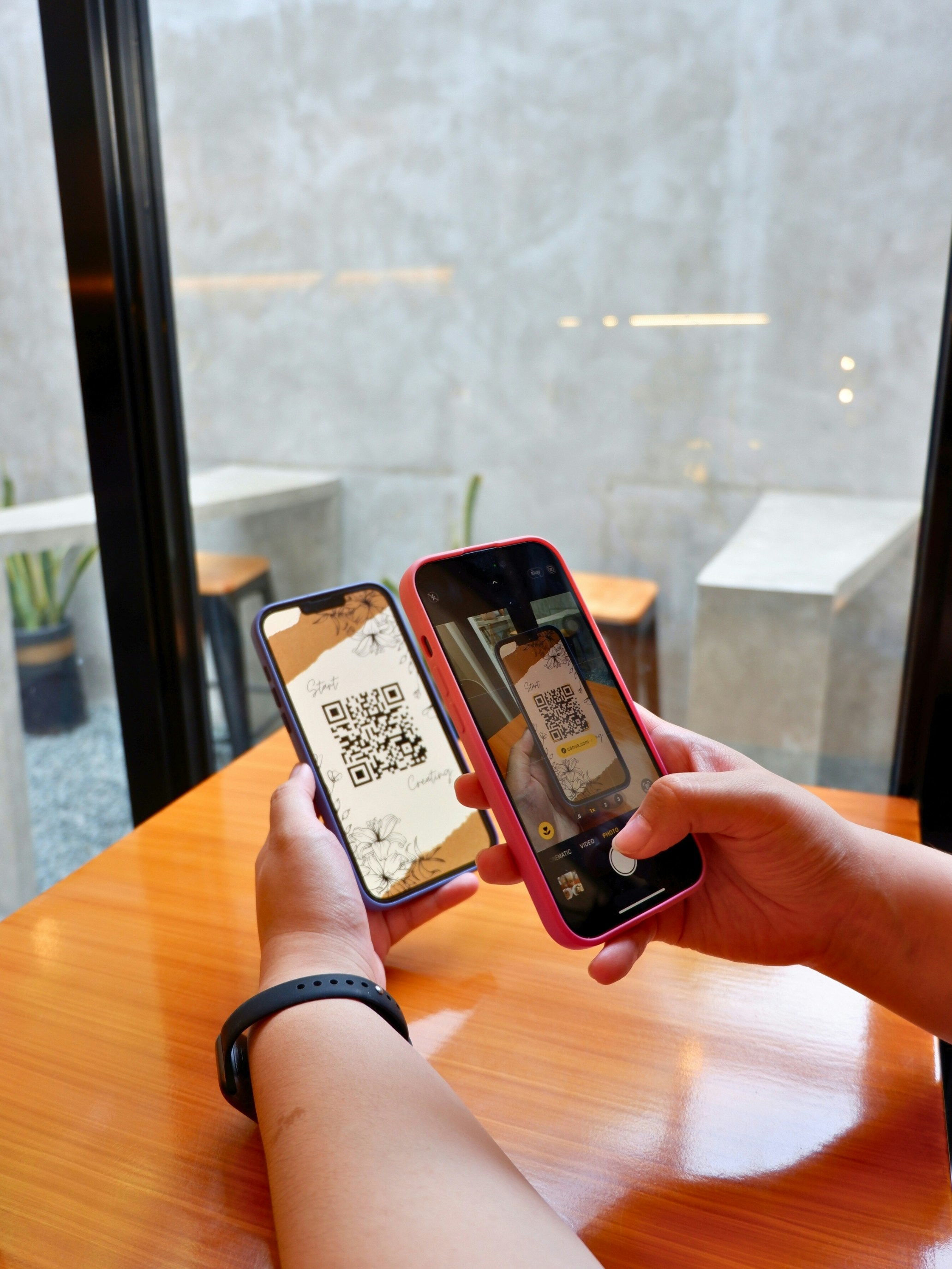
One QR code. One scan. Review page opens instantly.
No searching. No typing your business name. No navigating through Google Maps. The customer’s phone camera does all the work, and they land directly on the “Write a Review” prompt.
The entire process takes under 10 seconds from scan to submission.
Setting Up Your Google Review QR Code with Rytinco
Step 1: Get Your Google Review Link
- Go to Google Business Profile
- Select your business
- Click “Ask for reviews” — Google generates a direct review link
- Copy that link
Step 2: Create a Dynamic QR Code
This is where it gets clever. Don’t just encode the raw Google link into a static QR code. Use a dynamic QR code through Rytinco instead.
Why? Because a dynamic QR code lets you:
- Track every scan — see exactly how many people scan and when
- Update the destination — if Google changes the review URL format (it has before), update without reprinting
- A/B test — try different placements and see which generates more reviews
- Add a branded short link — use something like
rytinco.link/yourname-reviewas a backup
Step 3: Place It Where the Magic Happens
The secret isn’t just having a QR code — it’s placing it at the moment of peak satisfaction.
7 High-Converting Placement Strategies
1. The Receipt / Invoice QR Code
Print the QR code on every receipt with a simple line: “Loved your experience? Scan to let us know.”
Why it works: The customer is already holding the receipt. It’s a natural pause point. Works brilliantly for retail shops, salons, and service businesses across SA.
2. The Table Tent (Restaurants & Cafés)
Place a small table tent with the QR code where customers sit after their meal.
Why it works: Post-meal is peak satisfaction. The customer is relaxed, happy, and has their phone out. Cape Town restaurants using this method report a 3x increase in monthly reviews.
3. The Waiting Room Card (Healthcare & Professional Services)
Display the QR code in the waiting area with: “Had a great visit? Help others find us.”
Why it works: Patients and clients in waiting rooms are already on their phones. Dentists, physios, and accountants in Pretoria and Durban are seeing excellent results.
4. The Counter Stand (Retail & Service)
A small acrylic stand at the point of sale, right next to the card machine.
Why it works: The customer is standing, phone likely in hand (they may have just used tap-to-pay), and the transaction moment anchors a positive interaction.
5. The Packaging Insert (E-commerce)
Slip a branded card with the QR code into every delivery package.
Why it works: Unboxing is an emotional high point. SA e-commerce businesses using packaging inserts see 40% higher review rates compared to post-purchase emails.
6. The Vehicle Sticker (Service Businesses)
Plumbers, electricians, pest control — stick the QR code on the vehicle or on a leave-behind card.
Why it works: The technician just solved a problem. Gratitude is high. A quick scan before the van drives off captures that moment.
7. The Follow-Up WhatsApp Message
Send a WhatsApp message with your Rytinco short link (not a QR code, but the same tracked link behind it): “Thanks for choosing us! Mind leaving a quick review? [link]”
Why it works: South Africa runs on WhatsApp. Open rates are above 90%, and a direct link in chat is one tap away from a review.
Real Results from SA Businesses
Case Study: Joburg Auto Service Centre
Before QR Review System:
- 12 Google Reviews total (accumulated over 3 years)
- 3.8-star average rating
- Ranked #14 for “car service Sandton”
After Implementing Rytinco QR Codes:
- QR code on every invoice and in the waiting area
- Short link sent via WhatsApp after each service
Results after 6 months:
- 147 new reviews (from 12 to 159 total)
- 4.6-star average rating
- Ranked #3 for “car service Sandton”
- 28% increase in new customer enquiries
- Cost: R99/month for Rytinco
ROI: The owner estimates each new customer is worth R3,500 annually. Even attributing just 20 new customers to improved visibility, that’s R70,000 in annual revenue from a R1,188/year investment.
Case Study: Cape Town Hair Salon
Before:
- 8 reviews, 4.2 stars
- Relied entirely on Instagram DMs for new clients
After placing QR codes at each styling station and on appointment cards:
- 89 new reviews in 4 months
- 4.8 stars
- Started appearing in “hair salon near me” searches
- 35% of new bookings now come from Google Search (previously 0%)
Common Mistakes to Avoid
1. Using a Static QR Code
If Google changes the review link format — or you need to update anything — you’ll have to reprint every code. Use dynamic codes and save yourself the headache.
2. Not Tracking Scans
Without analytics, you’re flying blind. You won’t know which placements work, what time of day gets the most scans, or whether your strategy is actually moving the needle.
3. Incentivising Reviews
Google’s terms of service prohibit offering discounts or rewards in exchange for reviews. Don’t do it — Google can and does remove flagged reviews and penalise businesses.
4. Ignoring Negative Reviews
Respond to every review, especially negative ones. A thoughtful response to a 2-star review often impresses potential customers more than the 5-star reviews. It shows you care.
5. Asking Too Late
The review request should happen at or near the point of service — not three days later in an email. Capture the emotion while it’s fresh.
The Compound Effect
Here’s what makes this strategy so powerful: reviews compound.
- Month 1: You go from 10 to 30 reviews. Small improvement in search visibility.
- Month 3: You hit 80 reviews. Google starts showing you in the Local Pack.
- Month 6: You pass 150 reviews. You’re now the most-reviewed business in your category locally.
- Month 12: 300+ reviews. Competitors can’t catch up easily. You own the local search results.
Each review makes the next one easier to get, because higher visibility means more customers, which means more reviews.
Getting Started Today
You don’t need a marketing agency or a massive budget. Here’s your action plan:
- Get your Google Review link from your Business Profile (2 minutes)
- Create a dynamic QR code with Rytinco — start your free trial (3 minutes)
- Print and place at your highest-traffic touchpoint (10 minutes)
- Monitor scans in your Rytinco dashboard and adjust placement weekly
Total setup time: under 15 minutes. Total cost: from R99/month.
The businesses winning on Google right now aren’t the ones with the biggest budgets. They’re the ones making it stupidly easy for happy customers to say so. A QR code at the right moment is all it takes.
Stop hoping for reviews. Start scanning for them.